What's New on Vaulted.Games - February 25, 2026
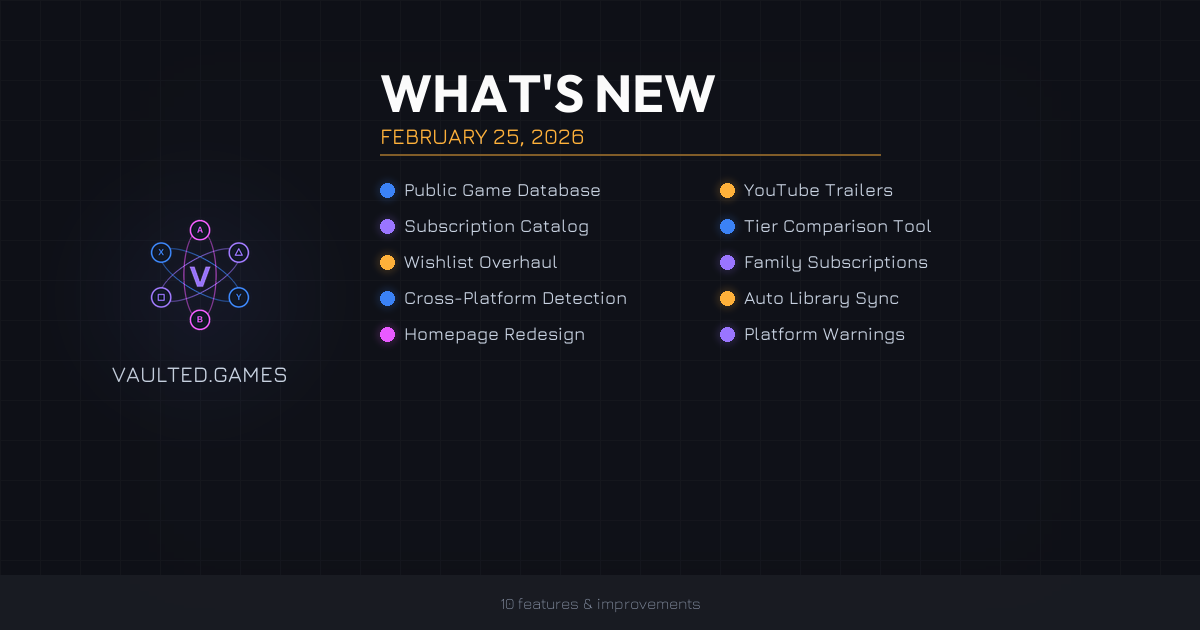
We shipped a lot since the last update. 10 major features, a pile of quality-of-life improvements, and a long list of bug fixes. Here's what changed and why it matters.
Browse the Full Game Database
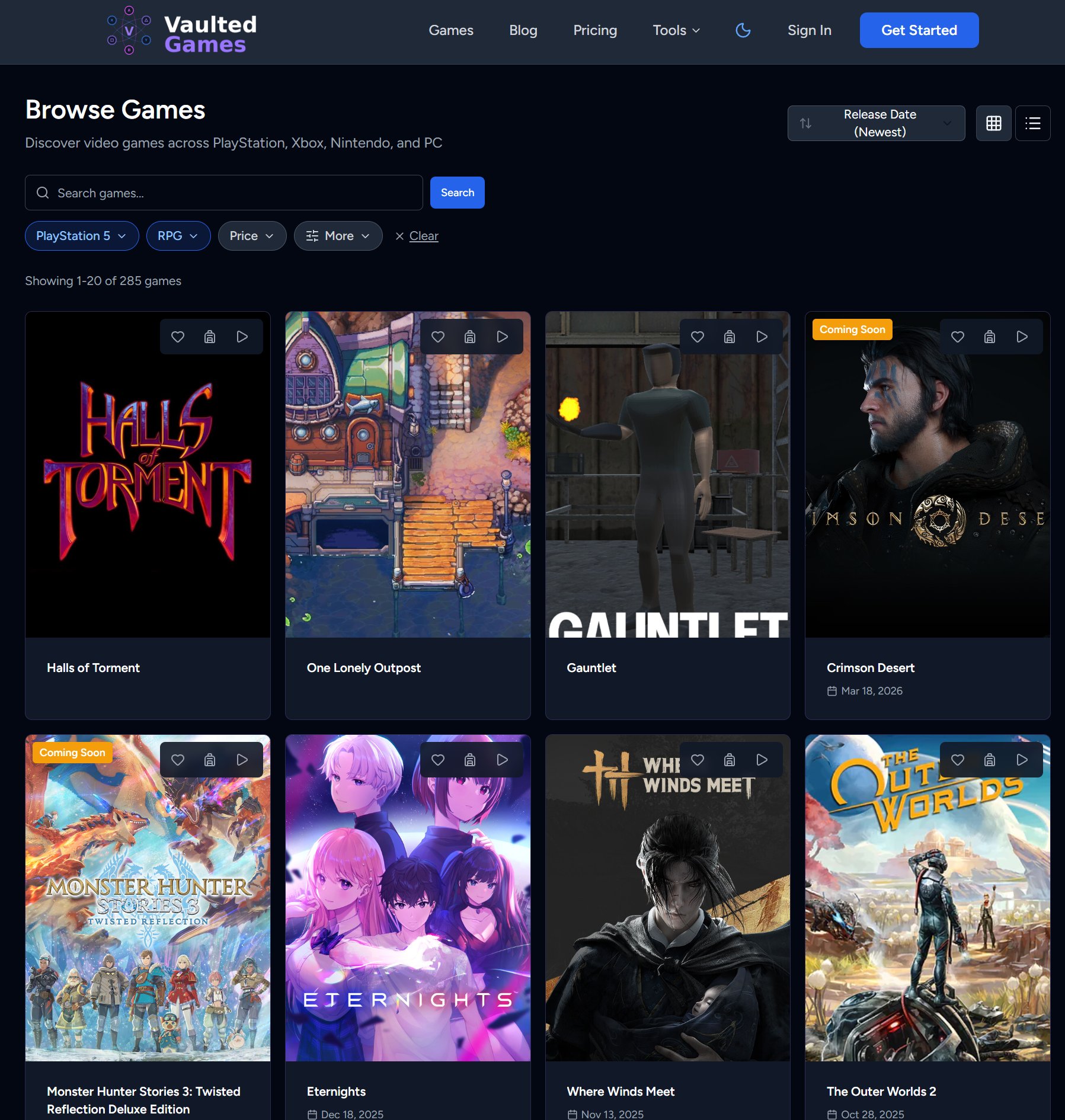
The entire game catalog is now open to everyone, no account required. Head to /games from the top nav and you'll find a searchable, filterable grid of every game we track.
What you get without signing up:
- Cover art, Metacritic scores, release dates, and base prices on every card
- Discovery carousels when no filters are active: Trending Now, New Releases, Popular Games, Coming Soon, and Most Wishlisted
- Grid or list view toggle
- Sort by release date, title, rating, or price
If you're signed in, there's more. A "Hide games in my library and wishlist" toggle (on by default) so you only see stuff you haven't added yet. Plus functional "Add to Library" and wishlist buttons right on each card.
The filter bar got a full redesign too. Pill-style dropdowns that apply instantly, no submit button needed. Platform, Genre, and Price are always visible. Click "More" to add Metacritic rating, play mode (co-op, split screen, etc.), release status, VR, ESRB/PEGI rating, and subscription service filters. Active filters show as highlighted pills with count badges, and you can clear everything with one click.
Filtered views also get clean, bookmarkable URLs now. Browsing PS5 RPGs? That's /games/genre/rpg/platform/playstation-5. Share it, bookmark it, come back to it later.
YouTube Trailers on Game Pages
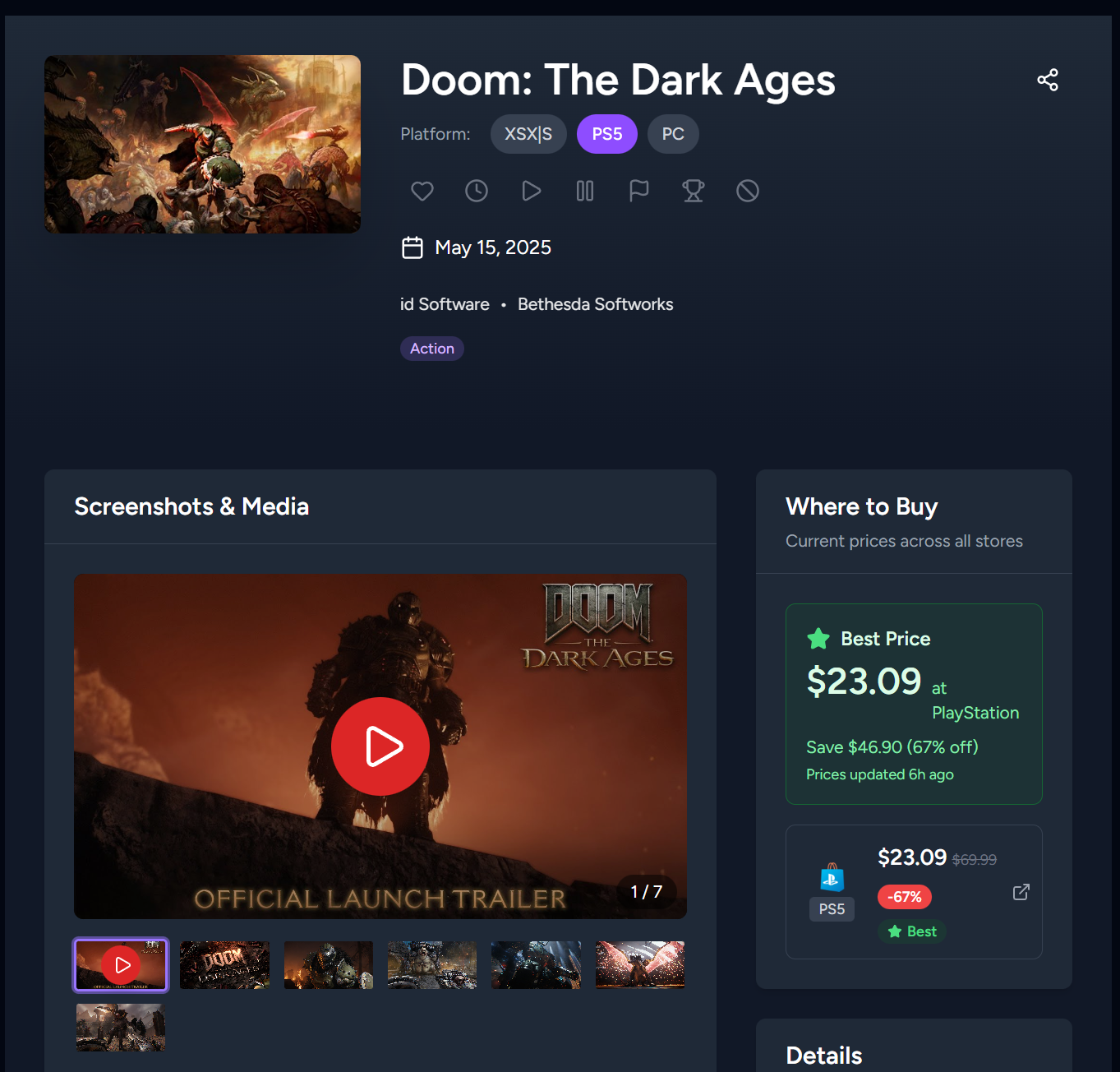
Game detail pages now have a media gallery that combines YouTube trailers, additional videos, and screenshots in a single carousel.
Trailers show up first with a red play button overlay. Click it and the video plays right there on the page, no redirect to YouTube. Screenshots follow after, and you can click any of them to open a full-screen lightbox. There's a thumbnail strip below the main display for quick navigation, and the whole thing supports swipe on mobile and keyboard navigation in lightbox mode.
Subscription Catalog and Comparison
This is a big one. A fully public set of tools for exploring and comparing gaming subscription services.
Browse any service's catalog at /subscriptions/{service}. Pick a service (Game Pass, PS Plus, EA Play, Nintendo Switch Online) and filter by tier, platform, genre, Metacritic score, or lifecycle stage. Lifecycle is particularly useful: filter by "Recently Added" to see what just showed up, or "Leaving Soon" to find games you need to play before they disappear. Game cards show lifecycle badges like "New," "Leaving in 3d," and "Coming Soon" so nothing catches you off guard.
If you're signed in, the catalog gets personal. Filter by library status ("Not in Library," "On Wishlist," "Backlog") to find games you've been meaning to play that are already included in your subscription.
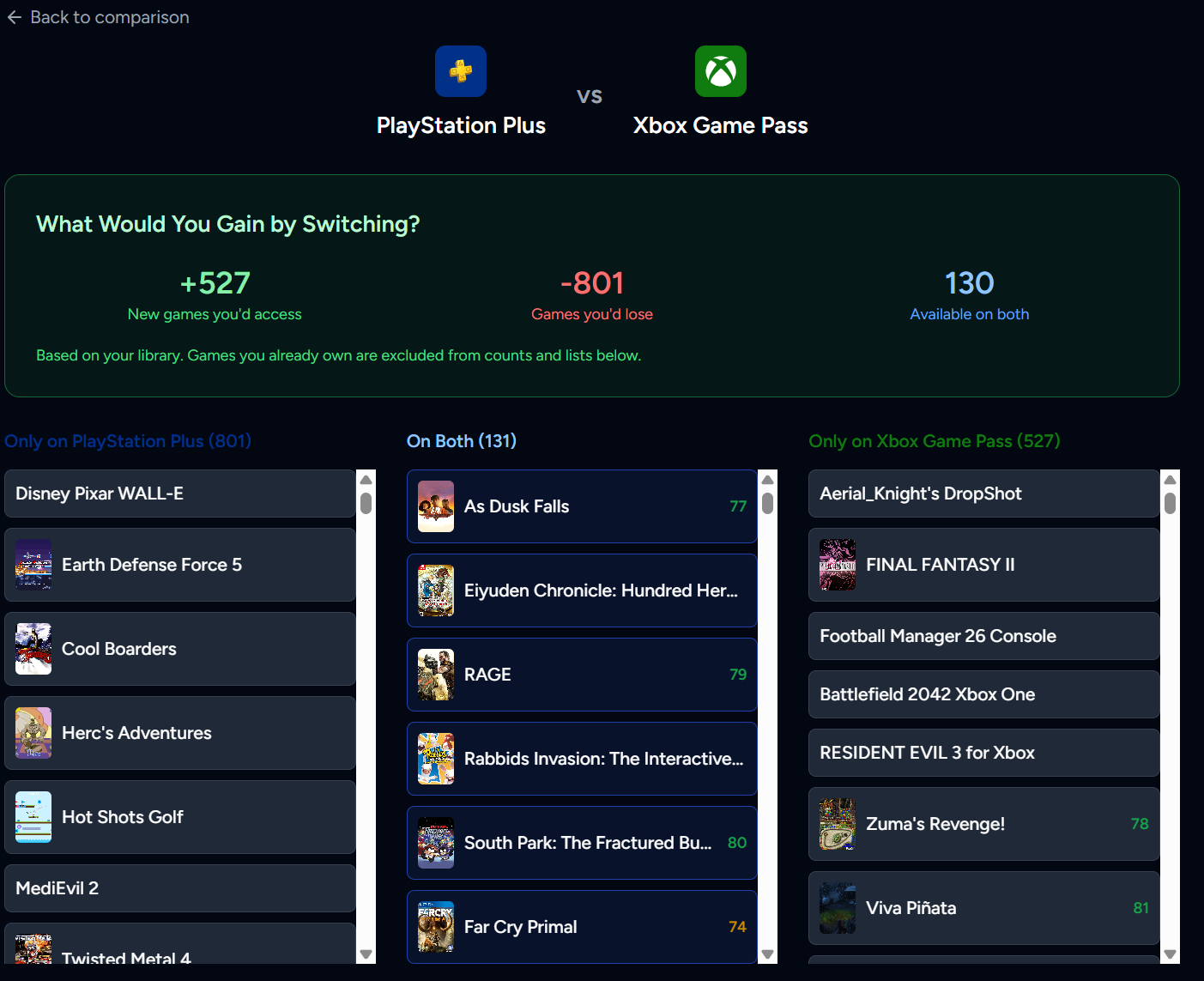
Compare services side-by-side at /subscriptions/compare. Pick two services and you'll see three columns: games only on Service A, games on both, and games only on Service B. Quick links for the popular matchups are built in (Game Pass vs PS Plus, Game Pass vs EA Play, etc.).
For signed-in users, there's a "What Would You Gain by Switching?" panel that shows how many new games you'd get access to, how many you'd lose, and how many overlap. Games you already own are excluded from counts, so the numbers actually reflect what matters to you.
Compare Subscription Tiers
Already on a subscription but wondering if you're on the right tier? The new tier comparison tool at /subscriptions/compare-tiers helps you figure that out.
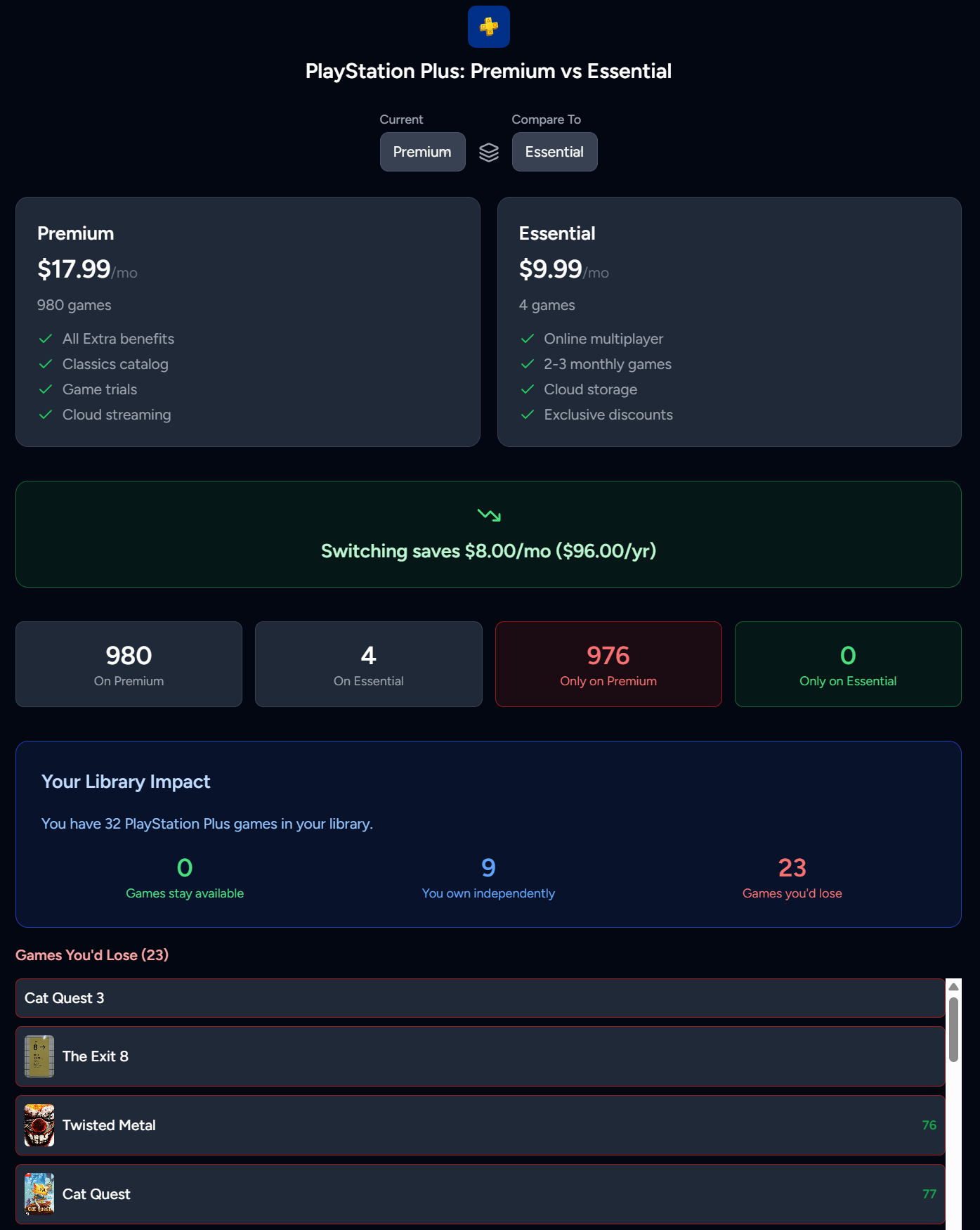
Pick a service, then pick two tiers. You'll see side-by-side cards with pricing, game counts, and feature lists. A savings calculator tells you exactly how much you'd save by downgrading (or what upgrading costs) per month and per year.
Signed-in users get a "Your Library Impact" breakdown showing which games stay available on both tiers, which ones you own independently (safe no matter what), and which ones you'd lose access to. Full scrollable lists with cover art and scores so you can make an informed call.
The tool also flags bundle impact. If switching from Game Pass Ultimate to Standard means losing EA Play access, that shows up clearly.
Wishlist Overhaul
The wishlist page got reworked top to bottom.
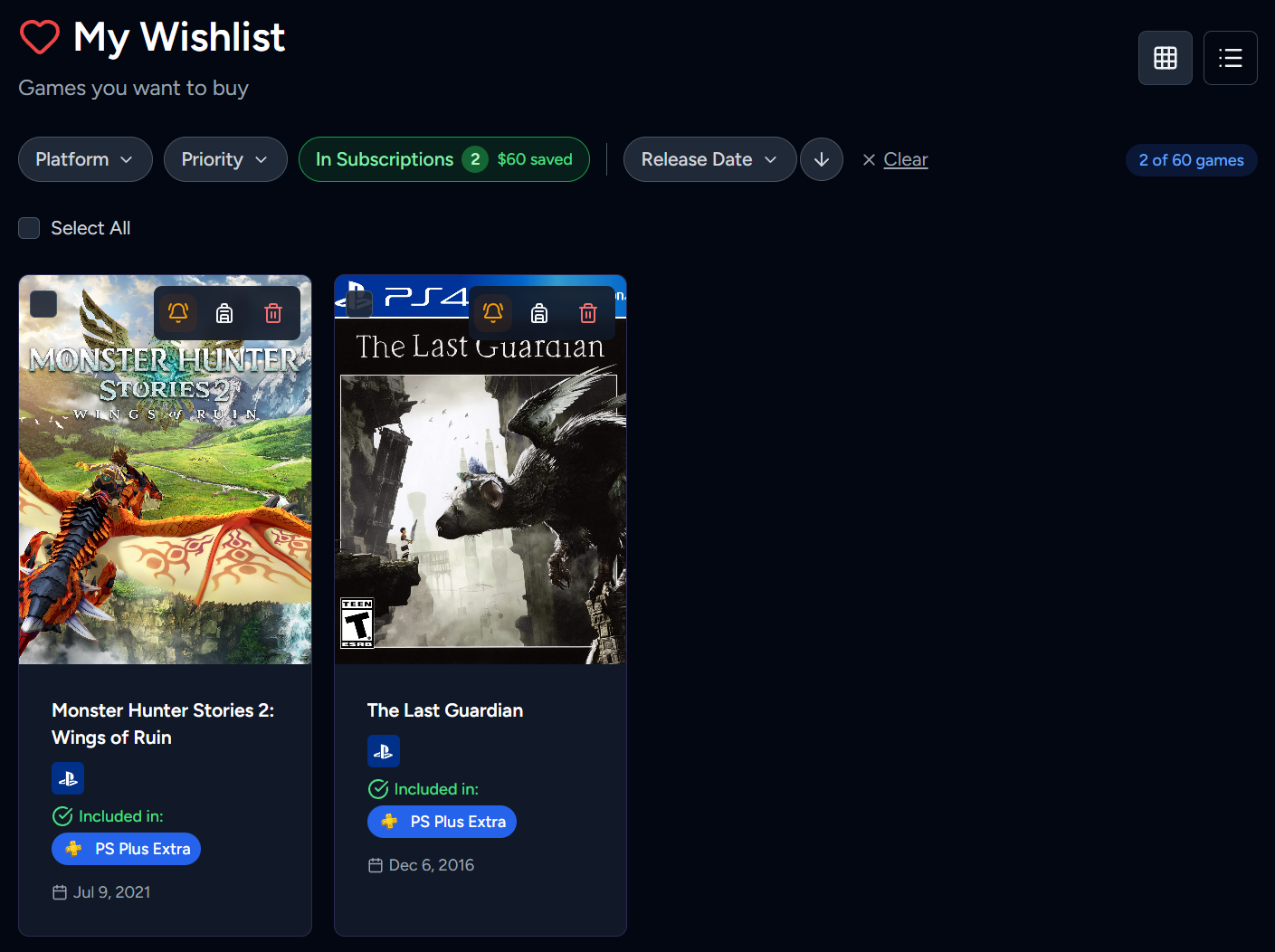
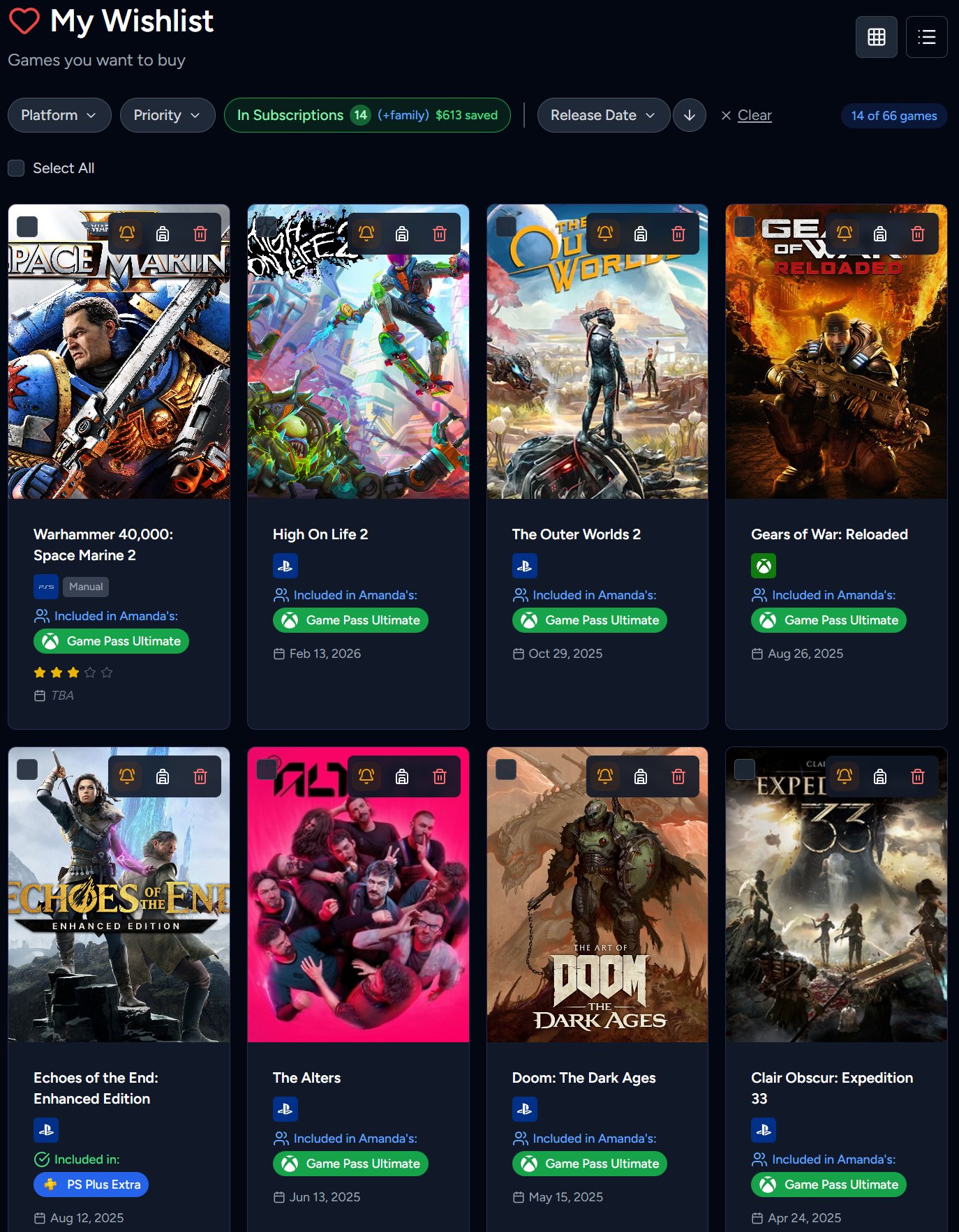
The old flyout filter panel is gone, replaced with a persistent inline filter bar above the game grid. You can filter by platform (only shows platforms you've connected), priority (by star rating), and there's an "In Subscriptions" toggle that surfaces games available through any subscription you or your family members have. That toggle includes a count badge and an aggregate "money saved" figure showing how much you'd spend if you bought all those games outright.
Every game card now has platform badges showing which platforms the game was synced from. Small colored icons for Steam, PSN, Xbox, and Nintendo. Manually added games get a gray "Manual" badge.
Subscription availability shows up on each wishlisted game too. Green checkmarks with service badges for your personal subscriptions, blue user icons with member names for family subscriptions, and red "Leaving in Nd!" warnings for games about to exit a service. All the information you need to decide whether to buy or wait.
Default sort is now Release Date ascending, so upcoming games you're watching are right at the top. All games load on one page (no pagination), and games without a release date show "TBA" instead of nothing.
Family Subscription Sharing
If you're in a family group, you can now see what subscriptions your family members have and which of your wishlist games are already playable through their accounts.
The Family Dashboard at /family now includes a "Family Subscriptions" card showing the total number of unique subscription services across your group, total games available, how many members have subscriptions, and combined monthly cost. Each service lists which family members own it with avatar chips.
There's also a "Wishlist in Family Subscriptions" card showing games from your wishlist that are available through a family member's subscription. Each game shows "Available through: [Service] via [Member Name]" so you know exactly who has it.
On the Settings > Subscriptions page, services your family members share show a "Also shared by [Name]" label. Services you don't have but a family member does show a purple "Available via family: [Name]" banner.
The wishlist integration ties it all together. The "In Subscriptions" filter includes family subscriptions with a "(+family)" annotation, and individual game cards show when a game is covered by someone else's subscription.
Smarter Cross-Platform Tracking
Three improvements that make multi-platform libraries work the way they should.
Cross-platform owned game detection. If a game is on your PSN wishlist but you already own it on Steam, the wishlist card gets a thin emerald green ring and an "Owned on Steam" badge with a checkmark. You can dismiss it if owning on both platforms is intentional. This runs automatically during sync.
Multi-platform game ownership. Games you own on multiple platforms now show all platform icon badges on detail pages and library cards. Playtime, achievements, and trophy data are tracked separately per platform. Your 100 hours on PS5 won't merge with your 20 hours on Steam. And wishlist removals now sync across platforms too.
Auto-deduplicate edition variants. When a platform reports both "The Witcher 3" and "The Witcher 3: Complete Edition," the system keeps the edition variant and merges the best data from both entries (higher playtime, more recent play date, higher achievement count). One entry per game, no duplicates.
Your Library Stays Up to Date
Two features that work together to keep your library accurate without you lifting a finger.
Automated library resync. Premium and Family tier users no longer need to manually trigger syncs. A background job automatically resyncs any platform connection that hasn't been updated in 20 hours. PlayStation, Xbox, and Steam libraries sync daily with all options (achievements, trophies, wishlists). PSN token expiration is monitored, and you'll get an email 7 days before it expires with a direct link to update it.
Smart game status assignment. Library sync now sets game statuses based on your actual play data instead of dumping everything into Backlog. If a game has 100% achievements, it gets marked Completed. If it has any playtime, it goes to Playing. Only games with zero activity land in Backlog. On resync, if a Backlog game suddenly has playtime, it moves to Playing automatically. Games you've manually set to Completed or Finished are never overwritten.
PSN trophy sync also got smarter. Games with separate PS4 and PS5 trophy lists now sync both versions correctly, tracking each platform's trophy counts individually.
Refreshed Home Page
The home page got a full redesign around the "Buy Less. Play More." brand message.
The new layout walks visitors through the pitch: a hero section with the headline and a real price drop alert email screenshot, a "Real Problem" section explaining why deal-chasing leads to bloated backlogs, a dashboard preview showing savings in action, and a breakdown of how Vaulted.Games is different from just browsing deal sites. Platform icons for Steam, Xbox, and PlayStation show up in a "Sync Your Accounts" row, and the final CTA drives toward founding member signups.
It's designed to make the value proposition clear in about 30 seconds of scrolling.
Platform Connection Warnings
The Settings > Platforms page now tells you when something's wrong with your account connections before you have to wonder why your library stopped updating.
PlayStation gets the most attention here. An amber banner appears when your PSN token is expiring within 7 days, showing the exact date and days remaining. If it's already expired, a red banner with an inline "Update your NPSSO token" button walks you through the fix step by step, no need to disconnect and reconnect.
Xbox and Steam show similar banners when authentication expires, with reconnect buttons that take you right where you need to go. Links like /settings/platforms#playstation now smooth-scroll to the relevant section with a brief highlight pulse so you land exactly in the right spot.
Smaller Improvements
- Social link previews work. Sharing a Vaulted.Games link on Discord, Twitter/X, iMessage, or Slack now shows the correct title, description, and image instead of blank content. SSR is doing its job.
- Age ratings. Games now show ESRB and PEGI ratings, and you can filter by them on the browse page under "More" filters.
- Play mode data. Significantly more games now show play mode info (single player, co-op, split screen, etc.) on their detail pages.
- Blog in the nav. The Blog section is now in the public header and footer navigation. No more relying on direct links or search engines.
- Blog image galleries. Articles now support multi-image galleries with navigation, captions, swipe support, and fullscreen lightbox.
- Middle-click everywhere. Game cards on wishlist, discover, backlog, and carousel components now support middle-click and Ctrl+click to open in a new tab. They're real links now.
- Mobile fixes. 13 issues fixed across the mobile experience, including menu visibility, notification dropdown positioning, logo sizing, and various spacing issues.
Bug Fixes
A lot of stuff got fixed under the hood. Here are the ones that probably affected you:
Library and sync fixes: Xbox achievement totals no longer get overwritten with zeros. Xbox playtime actually pulls correctly now (was using wrong ID format). Duplicate library entries from platform ID format changes are gone. PSN games are no longer incorrectly tagged as Xbox Game Pass acquisitions. PSN cover art and locale issues are resolved. Platform reconnections properly clear old error states.
Wishlist and display fixes: Status filters show proper labels instead of raw database slugs. Release dates no longer display one day early. The platform filter only shows platforms you've actually connected. The Game Pass acquisition prompt stays dismissed after you answer it. Subscription badge names are shorter ("PS Plus" and "Game Pass" instead of the full names).
Subscription comparison fixes: Tier comparison no longer counts games you've purchased independently as "lost." Comparison results are properly scoped to the relevant platform. The 50-game cap on comparison columns is gone. Cached comparisons won't show flipped results anymore.
Email fixes: Family invite emails actually include the join link now. Subscription alerts respect your timezone instead of potentially arriving at 3 AM. Dark mode email rendering works correctly.
Pricing and store fixes: Xbox Store lookups work again after Microsoft deprecated the old search endpoint. Store matching accepts ~40% more valid matches by normalizing trademark symbols and edition suffixes. Rate-limited price checks retry instead of failing permanently. The PS Store circuit breaker no longer shuts down all PlayStation lookups from one bad URL.
What's Next
Here's what we're actively working on:
- Price alerts and notifications overhaul. Smarter alert logic, better email formatting, and more control over what triggers a notification.
- Library analytics. Deeper insights into your gaming habits, spending patterns, and backlog trends.
- More platform integrations. Expanding support for additional storefronts and subscription services.
- Mobile app. Capacitor-wrapped native app for iOS and Android is in early development.
Want to see these features in action? Sign up for free at Vaulted.Games and start tracking your collection today.