How to Build Your Gaming Backlog (And Actually Play It)
You have too many games. You know it. I know it.
Between Steam sales, Game Pass additions, PS Plus monthly drops, and that Nintendo eShop sale where everything was 80% off, your library has become a graveyard of good intentions. You bought them meaning to play them. You didn't.
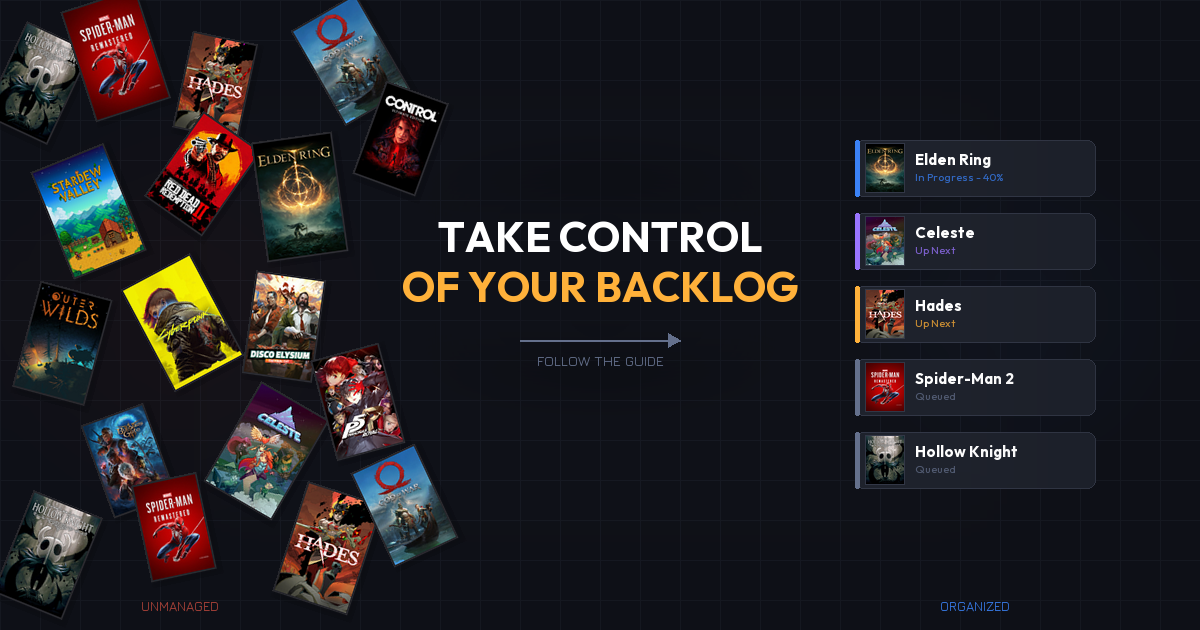
Here's the thing most people get wrong: the backlog isn't the problem. Every gamer has one. The problem is treating it like a to-do list you're failing at instead of a menu you get to choose from.
This guide will help you build a backlog that actually works for you, stop the cycle of impulse buying, and start finishing the games you care about.
Quick Answer: How Do I Manage My Gaming Backlog?
- Audit everything you own across all platforms
- Sort games into three buckets: must-play, interested, and never-gonna-play
- Use playtime estimates to plan realistically
- Set monthly goals instead of trying to clear the whole thing
- Stop buying on impulse with the "two out, one in" rule
- Play subscription games first since they can leave anytime
- Track your progress to stay motivated and accountable
Now let's dig into each one.
1. Why Your Backlog Keeps Growing (It's Not Your Fault)
Before you can fix the backlog, you need to understand why it exists.
Sales exploit FOMO. 87% of gamers cite sales as an important factor in purchasing decisions. The problem? Most of those purchases are driven by the deal itself, not the desire to play. The Nintendo eShop alone hosts 1,200+ simultaneous sales at any given time. When you see a game for $3, your brain says "I'd be losing money by NOT buying it." That's not how savings work.
Choice paralysis is real. Psychologist Barry Schwartz calls it the Paradox of Choice. When you have 200+ games in your library, picking one feels overwhelming. So you scroll for 20 minutes and open YouTube instead.
Subscription services add games faster than you can play them. Game Pass adds 15-20 titles per month. PS Plus Extra drops a handful more. Your library grows whether you buy anything or not.
Live-service games never end. Games like Diablo 4 and The Division 2 keep adding seasonal content. You put in 100 hours and they're still "unfinished." Some games, like the now-shut-down Anthem, become impossible to complete when servers close. The definition of "done" has changed.
Understanding these forces is the first step. You're not lazy or undisciplined. The entire industry is designed to grow your backlog.
2. Audit What You Actually Own
Most gamers don't know what's in their library. Not really.
You have games on Steam, a few on Xbox, some PS Plus titles you claimed and forgot about, and a Switch library you Haven't opened in months. The first step is consolidating everything into one view.
How to Audit
- Go platform by platform. Open Steam, Xbox, PlayStation, and Switch libraries. Write down (or export) every game you own.
- Include claimed subscription games. Those PS Plus monthly games and Game Pass titles you downloaded count.
- Check humble bundles and freebies. Epic Games Store has been giving away games weekly for years. You probably have dozens you forgot about.
- Don't forget physical games. That shelf isn't just decoration.
Tools for Consolidation
| Tool | Best For | Key Feature |
|---|---|---|
| Backloggd | Community + tracking | Letterboxd-style UI for games, rate and log completions |
| HowLongToBeat | Playtime planning | Completion time estimates for every game |
| Vaulted.Games | Cross-platform tracking | Tracks library, subscriptions, and prices in one place |
The goal isn't to feel bad about the number. It's to see the full picture so you can make smart choices about what to play next.
3. Sort Into Three Buckets
Once you can see everything, sort it. This is where you give yourself permission to let go.
The Three Buckets
Must-Play: Games you're genuinely excited about. Not "I should play this because it won 14 awards." Games you actually want to spend time with. Limit this to 10-15 titles max.
Interested: Games that seem cool but aren't pulling you in right now. These stay on the shelf. No guilt. You might get to them, you might not.
Never-Gonna-Play: Be honest. That indie puzzle game you bought in a bundle three years ago? The RPG you convinced yourself you'd "get into eventually"? Let it go. Hiding or removing these from your active library is freeing.
How to Decide
Ask yourself one question: If this game came out tomorrow at full price, would I buy it?
If the answer is no, it goes in Interested or Never-Gonna-Play. Simple.
4. Use Playtime Data to Plan
This is where most people mess up. They stack five 80-hour RPGs in their "play next" list and wonder why they never finish anything.
Check Before You Commit
HowLongToBeat provides completion time estimates for nearly every game:
| Completion Style | What It Means |
|---|---|
| Main Story | Critical path only |
| Main + Extras | Side quests and optional content |
| Completionist | Everything. 100%. |
The Mix Strategy
Alternate between long and short games. After a 60-hour RPG, play a 6-hour indie. This prevents burnout and gives you regular completion wins.
Example rotation:
- Elden Ring (80+ hours) → Celeste (8 hours) → Red Dead Redemption 2 (50 hours) → Unpacking (3 hours)
Those short games between the big ones keep momentum going. Finishing something feels good, and that feeling carries forward.
5. Set Realistic Goals
"Clear my backlog" isn't a goal. It's a fantasy. Your backlog will never be empty, and that's fine.
What Works
Monthly targets. Pick 2-3 games per month. One can be longer, but mix in at least one shorter title. The online backlog community has found that setting a yearly goal of beating 10-12 games is ambitious but achievable for most people with jobs and lives.
Seasonal themes. Play horror games in October. Cozy games in December. This adds variety and gives you a reason to pick specific titles.
The "one at a time" rule. Having 2-3 games in rotation is fine. Having 7 games all "in progress" means you're finishing none of them. Pick a primary game and stick with it.
What Doesn't Work
- Rigid schedules that feel like homework
- Committing to finish every game you start
- Comparing your completion rate to others
- Forcing yourself through a game you're not enjoying
Gaming is supposed to be fun. The moment it feels like an obligation, something has gone wrong.
6. Stop Buying on Impulse
This is the hardest habit to break. But it's the most impactful.
The "Two Out, One In" Rule
Before buying a new game, finish two from your backlog. This simple rule forces you to engage with what you already own before adding more.
Exceptions:
- A game you've been waiting for specifically (not just "this looks interesting")
- A historic low price on a must-play title
- A multiplayer game your friends are actively playing right now
Wishlist Discipline
Put games on a wishlist instead of buying them immediately. Wait 30 days. If you still want it after a month, it's a real desire, not impulse. Most wishlisted games never get purchased, and you won't miss them.
The Sale Trap
A game on sale isn't a deal if you never play it. 75% of gamers say AAA games are too expensive, yet those same gamers buy discounted titles they never launch. A $60 game at $15 isn't saving you $45. It's costing you $15.
Track your spending versus your playtime. If you're spending $50/month on games and playing 10 hours, that's $5/hour. If you played games from your existing backlog instead, that's $0/hour.
7. Play What's Leaving First
If you subscribe to Game Pass, PS Plus Extra, or any other catalog service, some of your games have expiration dates.
Why This Matters
Games leave subscription services regularly. That game you've been "meaning to get to" on Game Pass? It might be gone next month. Then you either miss it entirely or pay full price for something you could have played for free.
The Priority System
- Check the "Leaving Soon" list at the start of each month
- Cross-reference with your must-play bucket from Step 3
- Start departing games immediately since you have a deadline
- If you can't finish in time, decide now whether you'll buy it or let it go
The Hidden Benefit
Playing subscription games first is actually great for your backlog. It forces you to play instead of browse, creates natural deadlines, and reduces the urge to buy new games since you're already playing something.
8. Track Your Progress
What gets measured gets done. Tracking your gaming progress provides accountability and motivation you didn't know you needed.
Why Tracking Works
- Seeing completion stats is satisfying. Watching that "games completed" number climb is genuinely motivating.
- You spot patterns. Maybe you always abandon games at the 10-hour mark. Maybe you only finish certain genres. Data reveals habits you can act on.
- It prevents re-buying. Ever purchased a game you already owned on another platform? Tracking eliminates that.
What to Track
| Metric | Why It Matters |
|---|---|
| Games completed | Progress toward your goals |
| Hours played per game | Are you spreading too thin? |
| Money spent vs. played | Are your purchases delivering value? |
| Subscription utilization | Are you getting your money's worth? |
Vaulted.Games tracks your library across PlayStation, Xbox, Nintendo, Steam, and more. It shows which subscription games are leaving, monitors prices on your wishlist, and helps you see whether you're getting value from your subscriptions. One dashboard instead of five apps.
Common Mistakes
Treating Your Backlog Like a To-Do List
It's not homework. It's a menu. You don't have to finish everything. You don't even have to start everything. Pick what excites you right now.
Guilt-Buying During Sales
"It's only $5" adds up fast. If you bought every $5 game that caught your eye during a Steam sale, you'd spend more than buying one full-price game you actually want.
Starting Five Games at Once
Each new game you start dilutes your attention. Keep your active games to 2-3 max. One primary, one casual, maybe one multiplayer with friends.
Ignoring Subscription Catalogs You're Paying For
You're spending $10-18/month on Game Pass or PS Plus. If you're not actively playing games from those catalogs, you're paying for nothing. Either use the subscription or cancel it.
Take Control of Your Library
Your backlog doesn't need to stress you out. It's a collection of possibilities, not a list of failures.
Vaulted.Games was built for exactly this situation. It pulls your gaming library together across every platform, tracks which subscription games are leaving soon, monitors prices on games you're interested in, and shows you what you're actually getting from your subscriptions.
Stop scrolling through five different apps wondering what to play. Stop missing games before they leave. Stop buying games you already have access to.
The Bottom Line
Your backlog isn't the enemy. An unmanaged backlog is.
- Audit your full library so you know what you're working with
- Sort ruthlessly into must-play, interested, and never-gonna-play
- Use playtime data to plan realistic rotations
- Set monthly goals instead of trying to clear everything
- Stop impulse buying with the two out, one in rule
- Prioritize games leaving your subscriptions
- Track everything so you can see your progress
Every gamer has a backlog. The smart ones have a system.
FAQ: Managing Your Gaming Backlog
How many games is too many in a backlog?
There's no magic number. The average Steam user has over 100 games, and most have played fewer than half. The size of your backlog doesn't matter. What matters is whether you have a system for choosing what to play next. If you're paralyzed every time you sit down to game, your backlog is too unorganized, not too big.
Should I cancel my subscriptions to reduce my backlog?
Only if you're not using them. If you play 2+ games per month from Game Pass or PS Plus, the subscription is delivering value. But if you're just claiming games and never playing them, you're adding to the backlog while spending money. Audit your subscription usage first. If you haven't launched a subscription game in 60 days, it might be time to pause.
What's the best app for tracking my gaming backlog?
It depends on what you need. Backloggd is great for community features and logging completions. HowLongToBeat is essential for playtime estimates. Vaulted.Games combines library tracking, subscription monitoring, and price alerts across all platforms in one dashboard. Most serious backlog managers use a combination.
How do I stop buying games I won't play?
Use the 30-day wishlist rule. When you see a game you want, add it to your wishlist instead of buying it. Wait 30 days. If you still want it and can name when you'll play it, buy it. Also try the "two out, one in" rule: finish two games before purchasing a new one. These two habits alone will cut impulse purchases significantly.
Is it okay to quit a game I'm not enjoying?
Yes. Full stop. Life is too short to force yourself through a game that isn't clicking. There's a difference between a game that has a slow start (give it 3-5 hours) and a game you're actively dreading. Move it to your "never-gonna-play" bucket and pick something you're excited about. No game is mandatory.
How long should I give a game before deciding to drop it?
The community generally agrees on a 3-5 hour window for most games. Some genres need more runway: JRPGs and strategy games often take 8-10 hours to open up. But if you're 5 hours in and actively looking for reasons to keep going, that's your answer. Trust your gut.