

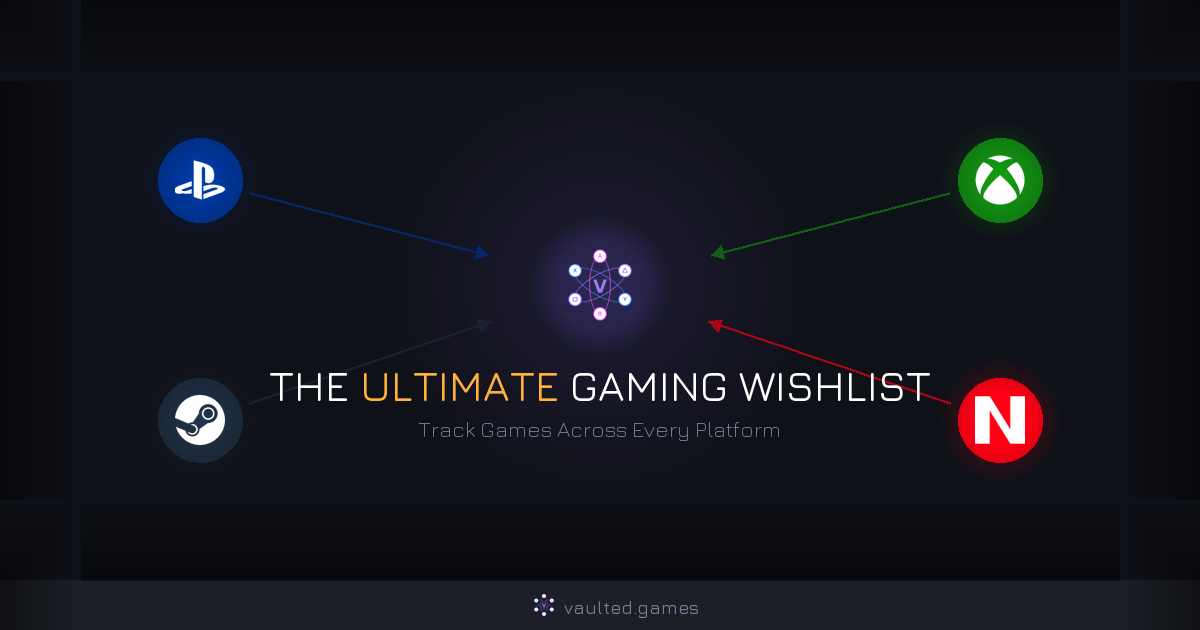
The Ultimate Gaming Wishlist: How to Track Games Across Every Platform
You see a game during a showcase, think "I need to get that," and then completely forget about it. Or worse, you buy it at full price on PlayStation without realizing it was $30 cheaper on Steam last week.
This is the reality of managing wishlists across 4+ different gaming platforms that don't share a single byte of data with each other. Your Steam wishlist doesn't know your PlayStation wishlist exists. Your Xbox list has no idea what's on your Switch. And none of them tell you where the best deal actually is.
There's a better way to handle this. Let's break down the problem, look at what's out there, and build a system that actually works.
Why Is Managing a Gaming Wishlist So Hard?
The short answer: every platform wants to keep you in their ecosystem. Sony doesn't benefit from telling you a game is cheaper on Steam. Microsoft isn't going to ping you that a title just hit the Nintendo eShop for half price. Each storefront's wishlist is designed to sell you games on their platform, not to help you find the best deal.
Here's what that looks like in practice:
- You add Elden Ring to your PlayStation wishlist and your Steam wishlist. It goes on sale on Steam, but PlayStation only notifies you about PS Store sales.
- You wishlist a game on the Nintendo eShop, forget about it, and buy it on Xbox three months later at full price.
- You have 30+ games spread across 4 wishlists and no way to see them all in one view.
The average gamer uses 2.5 platforms. That's 2-3 separate wishlists, 2-3 separate sale notification systems, and zero coordination between them. It's a mess.
What Are the Existing Wishlist and Tracking Options?
Before we get to the solution, let's be fair about what's already out there. Some of these tools are genuinely useful for specific things.
Steam Wishlist
What it does well: Steam's wishlist is the gold standard for single-platform tracking. You get email notifications when games go on sale, your wishlist page highlights active discounts during major sales, and it integrates with your Steam library so you don't accidentally wishlist something you already own.
Where it falls short: It's Steam-only. If you also game on PlayStation, Xbox, or Switch, your Steam wishlist covers maybe a third of your gaming life. It also doesn't let you set target prices. You get notified about any sale, whether it's 10% off or 75% off.
PlayStation, Xbox, and Nintendo Wishlists
What they do well: Basic "save for later" functionality within each platform's store.
Where they fall short: PlayStation's wishlist notifications are inconsistent at best. Xbox's wishlist works but only within the Microsoft ecosystem. Nintendo's eShop wishlist is bare bones. None of them show price history, let you set target prices, or compare deals cross-platform. They're basically bookmark folders.
Backloggd
Backloggd is a solid community-driven platform for logging and rating games you've played. Think of it as Letterboxd for games. It has 54+ million games logged, great review features, and an active community.
Where it falls short for wishlisting: It's built for tracking what you've played, not what you want to buy. No price tracking, no sale alerts, no cross-platform deal comparison. If you want to remember what games you beat last year and leave reviews, Backloggd is great. If you want to know when Metaphor: ReFantazio drops below $40, it can't help you.
HowLongToBeat
HowLongToBeat tells you how many hours a game takes to complete. Incredibly useful for deciding whether a game is worth your time, especially when you've got a backlog staring you down.
Where it falls short for wishlisting: It's a completion time database, not a wishlist or deal tracking tool. You can create a backlog there, but there's no price monitoring or sale alerts. Great companion tool, not a wishlist replacement.
The Spreadsheet Approach
Some gamers go DIY with a Google Sheet or Excel spreadsheet. And honestly, it works if you're disciplined about it.
Here's a basic setup that covers the essentials:
| Game | Platform | Current Price | Target Price | Status | Notes |
|---|---|---|---|---|---|
| Metaphor: ReFantazio | PS5, Steam | $69.99 | $39.99 | Waiting | Check Spring Sale |
| Balatro | Switch | $14.99 | $9.99 | Wishlisted | Indie, drops fast |
| Kingdom Come: Deliverance II | Xbox, PS5 | $69.99 | $49.99 | Waiting | 6 months post-launch |
Where it falls short: It's entirely manual. Nobody is updating those "Current Price" cells for you. You have to check each platform's store individually to see if prices changed, and if you forget to check for a week, you miss sales. It's the right idea with zero automation.
IsThereAnyDeal
IsThereAnyDeal is a legitimate price comparison tool with waitlist features and historical pricing data. It aggregates deals from dozens of PC storefronts.
Where it falls short: It's PC-focused. If you're looking for PlayStation, Xbox, or Nintendo deals, it can't help you. For PC-only gamers, it's a solid tool. For anyone gaming across multiple platforms (which is most of us), it only covers part of the picture.
What Should a Universal Gaming Wishlist Actually Do?
Based on everything above, the ideal gaming wishlist tool needs to:
- Track games across every platform (PlayStation, Xbox, Switch, Steam, Epic) in one list
- Monitor prices automatically so you never manually check store pages again
- Let you set target prices and only alert you when a game hits your number
- Show which subscription services include your wishlist games (that Game Pass title might save you $60 right there)
- Help you manage your backlog alongside your wishlist, so you're not buying games faster than you play them
- Give you one single view of your entire gaming world across platforms
That first point is the killer feature. No single platform will ever build this because it directly conflicts with their business model. A universal wishlist has to come from a third party that isn't trying to sell you games on one specific storefront.
How Do You Set Up Cross-Platform Game Tracking?
Here's where we get practical.
Vaulted.Games was built specifically to solve this problem. Full disclosure: it's our product. But the reason we built it is because nothing else out there does all of the above in one place. We looked. We tried spreadsheets, browser extensions, and platform wishlists for years. None of it worked.
Here's how to set up a proper cross-platform wishlist:
Step 1: Add Your Games
Search for any game and add it to your list. Vaulted.Games covers PlayStation, Xbox, Nintendo, Steam, and more, so you're adding the game once instead of wishlisting it separately on every storefront.
Step 2: Set Your Target Prices
This is the part most platform wishlists completely skip. For each game, set the price you're actually willing to pay. Be realistic here. Use historical pricing data to inform your targets:
- New releases (0-6 months): Don't expect more than 15-25% off. Set your target at $49-59 for a $70 game.
- Games 6-12 months old: 30-50% off is common. $35-49 is realistic.
- Games 1+ years old: 50-75% off happens regularly. $15-35 depending on the title.
- Indie games: These drop fast. A $25 indie might hit $10-15 within 6 months.
Step 3: Get Alerts That Actually Matter
Instead of getting spammed every time any game on your list goes on sale for 5% off, you'll get notified when games hit your specific target price. This is the difference between useful alerts and noise.
Step 4: Check Subscription Catalogs
Before you buy anything, check if it's already available through a subscription service you're paying for. This one tip alone can save you hundreds per year. That $60 game you were about to buy? It might be sitting in Game Pass or PS Plus right now.
For a deeper look at which subscriptions are worth the money, check out our comparison of every game subscription service.
How Do You Keep Your Wishlist From Getting Out of Control?
A wishlist with 200 games on it isn't a wishlist. It's a graveyard of good intentions. Here are some practical tips to keep yours useful.
Review It Quarterly
Every 3 months, go through your wishlist and be honest: are you still actually interested in this game? If a title has been sitting there for a year and you haven't pulled the trigger at any price, remove it. Your wishlist should reflect games you genuinely want to play, not a record of every trailer that looked cool.
Set Realistic Price Targets
Don't set every game to $5 and forget about it. Look at historical pricing trends (tools like SteamDB for PC, or Vaulted.Games for cross-platform) and set targets based on what the game has actually sold for before. For strategies on timing your purchases, our guide to tracking game prices breaks down when games typically hit their lowest points.
Use Your Wishlist During Sales
This is the move most people miss. When a big sale hits (like the Steam seasonal sales or PlayStation's regular promotions), don't browse the sale page hoping something catches your eye. Open your wishlist first. Let the wishlist tell you what's discounted instead of impulse-buying stuff you'll never play.
Track Your Backlog Too
Your wishlist and your backlog are connected. If you've got 40 unplayed games in your library, maybe don't add 15 more to the wishlist this month. Being honest about your backlog is the best way to avoid wasting money on games that end up collecting digital dust. We've got a whole guide to building and managing your gaming backlog if you want to get that under control.
Don't Forget Subscription Catalogs
Before buying anything on your wishlist, always check if it landed on Game Pass, PS Plus, or another service you already subscribe to. Games rotate in and out of these catalogs constantly, and a game you were about to spend $40 on might be free with a subscription you're already paying for.
Quick Comparison: Wishlist and Tracking Tools
| Feature | Steam Wishlist | Console Wishlists | Backloggd | IsThereAnyDeal | Spreadsheet | Vaulted.Games |
|---|---|---|---|---|---|---|
| Cross-platform | No | No | No | PC only | Manual | Yes |
| Price alerts | Basic | Limited | No | PC only | No | Yes |
| Target price | No | No | No | Yes | Manual | Yes |
| Subscription tracking | No | No | No | No | Manual | Yes |
| Backlog management | No | No | Yes | No | Manual | Yes |
| Automatic updates | Sale emails | Inconsistent | N/A | PC deals | None | Yes |
| Effort required | Low (PC) | Low (per platform) | Low | Low (PC) | High | Low |
Key Takeaways
- Platform wishlists are designed to keep you locked in, not to help you find the best deal across stores. Stop relying on them as your only tracking method.
- Existing tools each solve a piece of the puzzle but none cover the full picture. Backloggd is great for played games, IsThereAnyDeal is solid for PC deals, but nothing else does true cross-platform wishlisting.
- A universal wishlist should track prices, set alerts, check subscription catalogs, and manage your backlog all in one place.
- Set realistic price targets based on historical data, not wishful thinking. Use them to buy only at the right price during sales.
- Review your wishlist quarterly. If you haven't thought about a game in 6 months, drop it. A smaller, focused wishlist is way more useful than a bloated one.
Stop juggling separate wishlists across platforms that couldn't care less about saving you money. Vaulted.Games puts your entire gaming wishlist in one place with price alerts, subscription tracking, and backlog management. One list. Every platform. No more missed deals.